
The vote will open at 00:00 on 25 May 2026 and close at 23:59 on 1 June 2026. All eligible members will receive a voting link by email. To be eligible, you must hold a Full or Premium Full EDGA membership at 23:59 on 22 May 2026. Members who join or upgrade after this time will not be included in the vote.
Voting takes around 30 seconds.
Step 1. Find your voting email
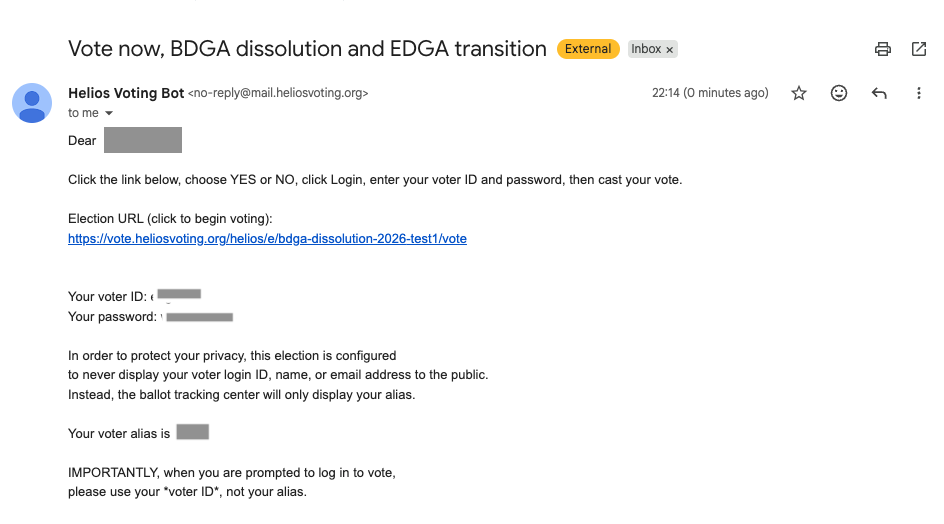
Look for an email with the subject:
Vote now, BDGA dissolution and EDGA transition
It will come from:
Helios Voting Bot [email protected]

Each member receives a unique, secure voting link and can only vote once.
Step 2. Open the email and click the voting link
Open the email and click the link to begin voting.
Your voter ID and password are included in this email. You will need them later.
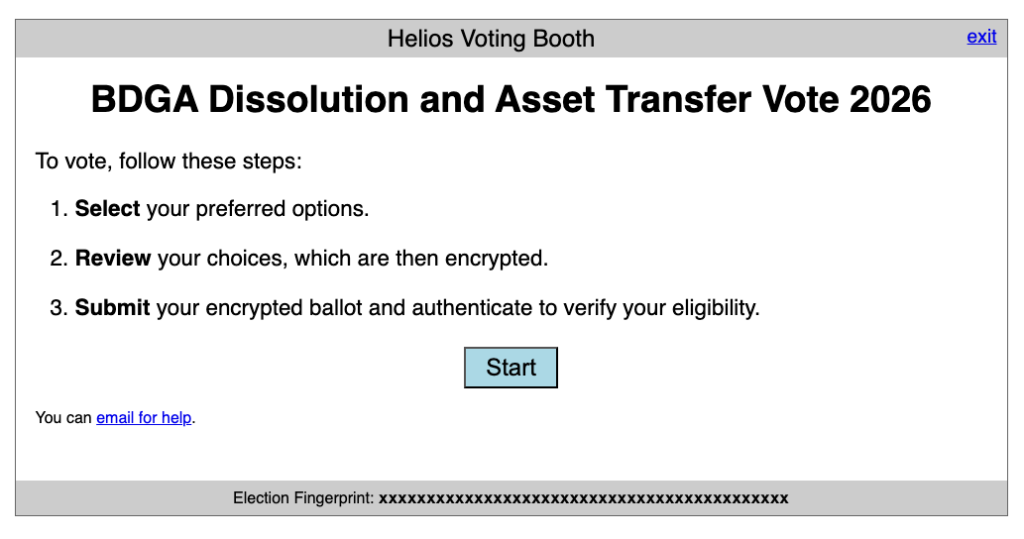
Step 3. Start the voting process
Click Start on the Helios voting page.
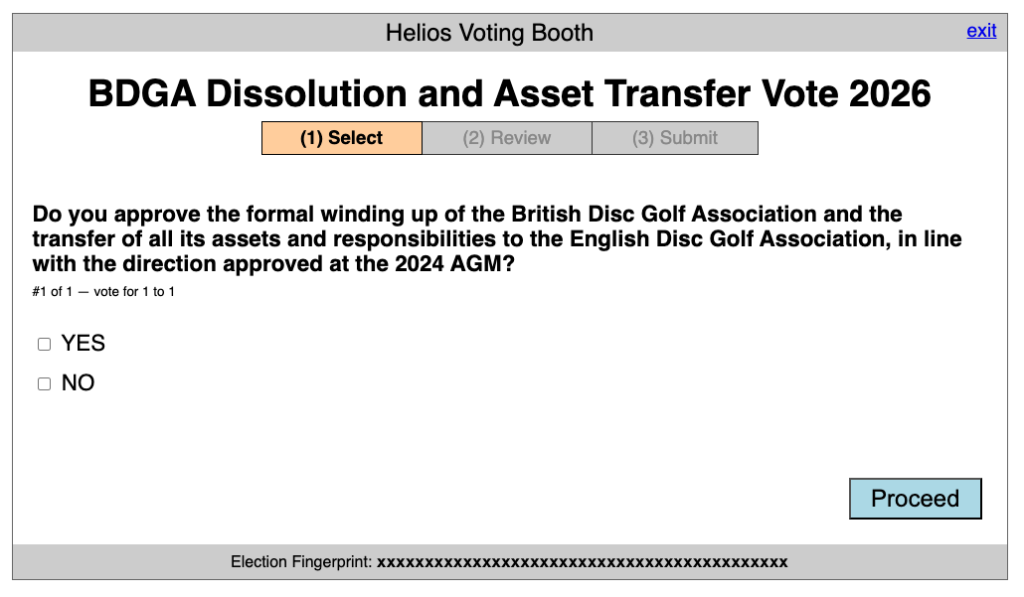
Step 4. Select your vote
Choose YES or NO, then click Proceed.
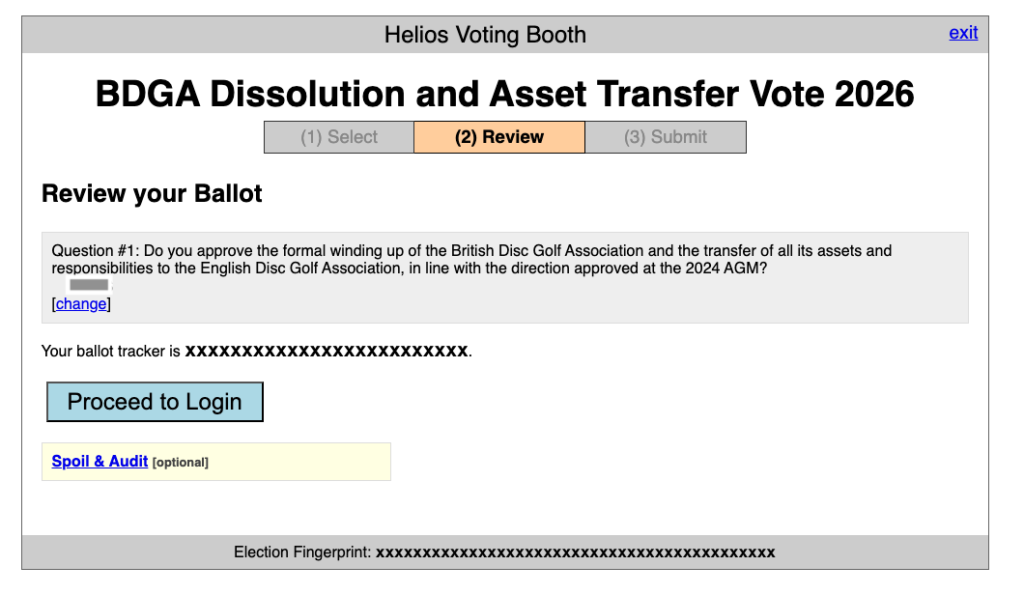
Step 5. Review your vote
Check your selection, then click Proceed to Login.
Step 6. Log in
Click Login, then enter your voter ID and password from your email.
Your voter ID is case sensitive. Enter it exactly as shown.
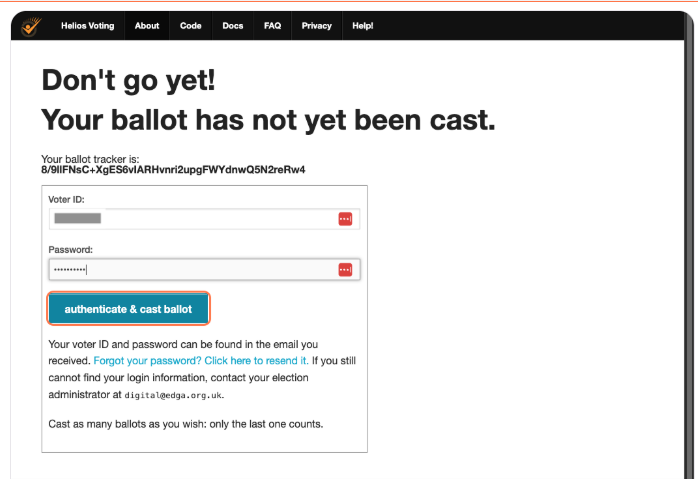
Step 7. Cast your vote
Click authenticate & cast ballot to submit your vote.
Step 8. Confirmation
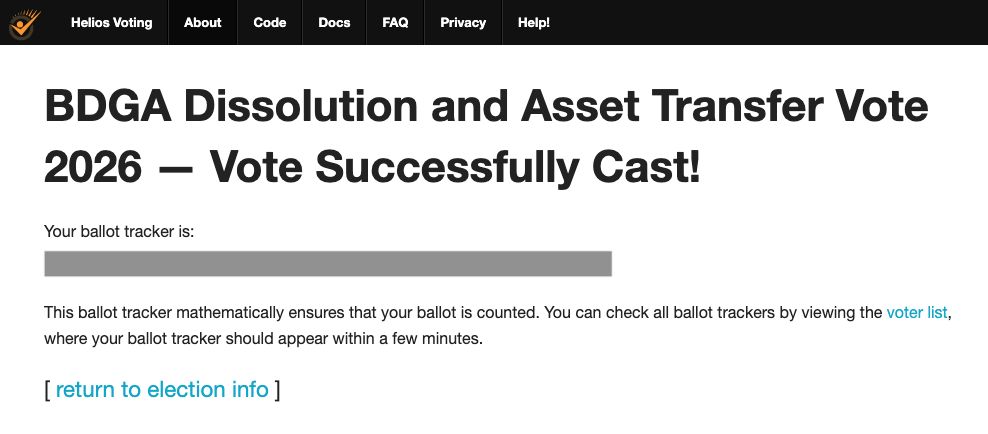
You will see a confirmation screen once your vote has been successfully cast.
[step 8 – vote successfully cast]